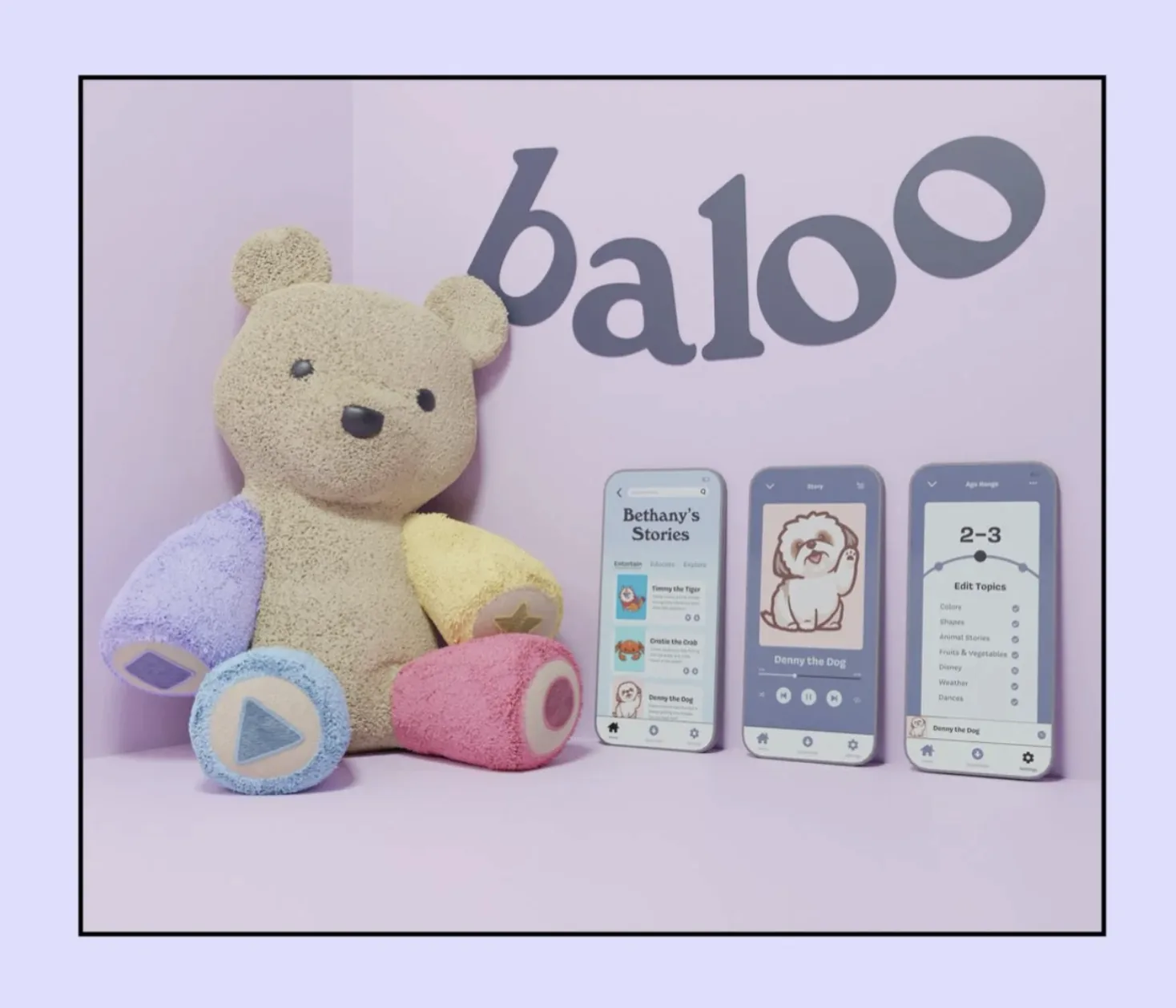
At a Glance
Role: UX Researcher
Timeline: September 2020 to November 2020
Platform: Screenless plush toy with a parent mobile app
Outcome: Children maintained focus for full stories without requesting a screen
A storytelling toy that replaces the screen
Baloo is a screenless interactive stuffed animal that tells children branching stories, involves them as characters in the narrative, and lets parents queue content through a companion app, all without a screen in sight.
Built for an interaction design course, Baloo emerged from half a semester of research before a single screen was designed. The team explored four problem areas and converged on childhood screen time, a problem with fast growing consequences and no satisfying solution on the market.
My Role
UX Researcher · Led the primary and secondary research, generated questions for user testing, and analyzed and sorted the bulk of the data
Timeframe
September 2020 to November 2020
Screens are the easiest babysitter
Children under 5 are spending more time on screens than ever, often because parents hand over a device out of necessity. The problem is not that parents are negligent. The problem is there is no good alternative.
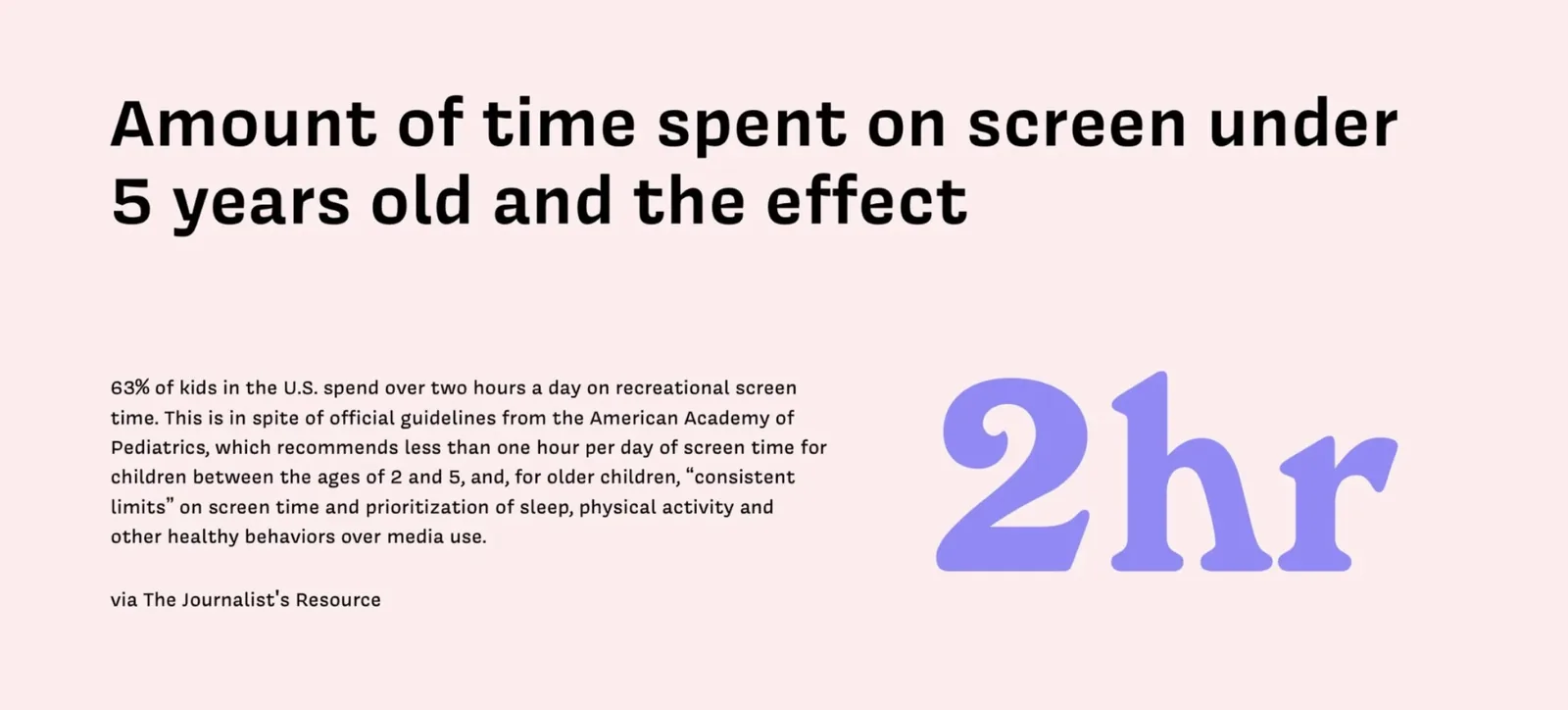
63% of US kids spend over two hours a day on recreational screen time, despite AAP guidance of less than one hour per day for ages 2 to 5
Reduce excessive screen time while keeping children engaged without supervision, giving parents the peace of mind that their child is safe and the freedom to focus on their own tasks?
Three methods, one picture
Online surveys, user interviews, user observations, and cultural probes built a layered picture of how parents actually use screens with their children, and what they feel about it. The research spoke to both the logistics and the guilt.
Online Surveys
Two survey sets went out, one to known contacts and one to Facebook and Reddit parenting groups. 21% of children exceeded the two hour daily limit, and the reasons parents gave pointed one way.
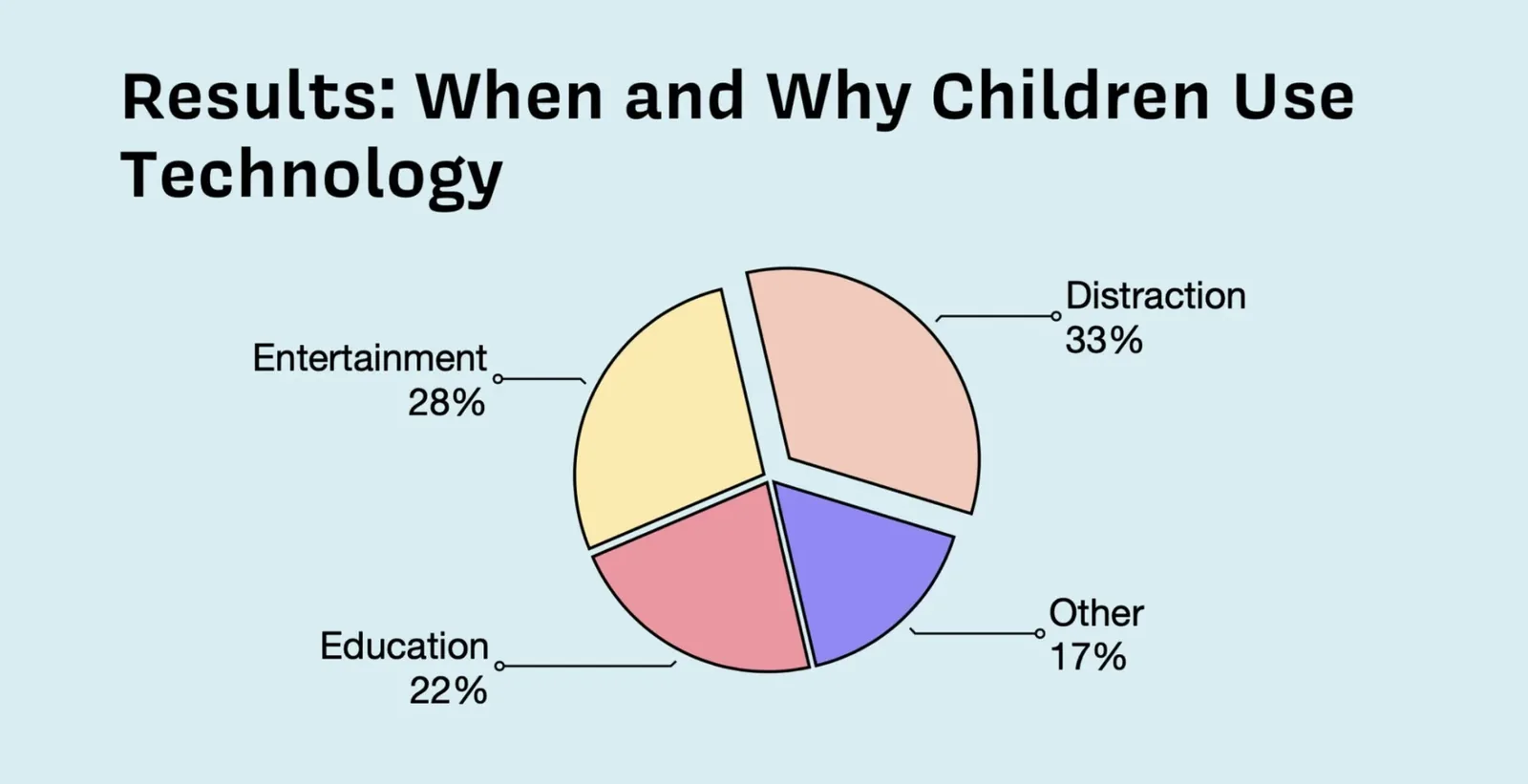
33% of screen time is given purely as a distraction tool, not as enrichment
User Interviews
We interviewed parents about the situations where they give their child a screen, how the child reacts, and how they feel about it. Four parent interviews surfaced a consistent pattern: screens are given out of necessity, not preference.
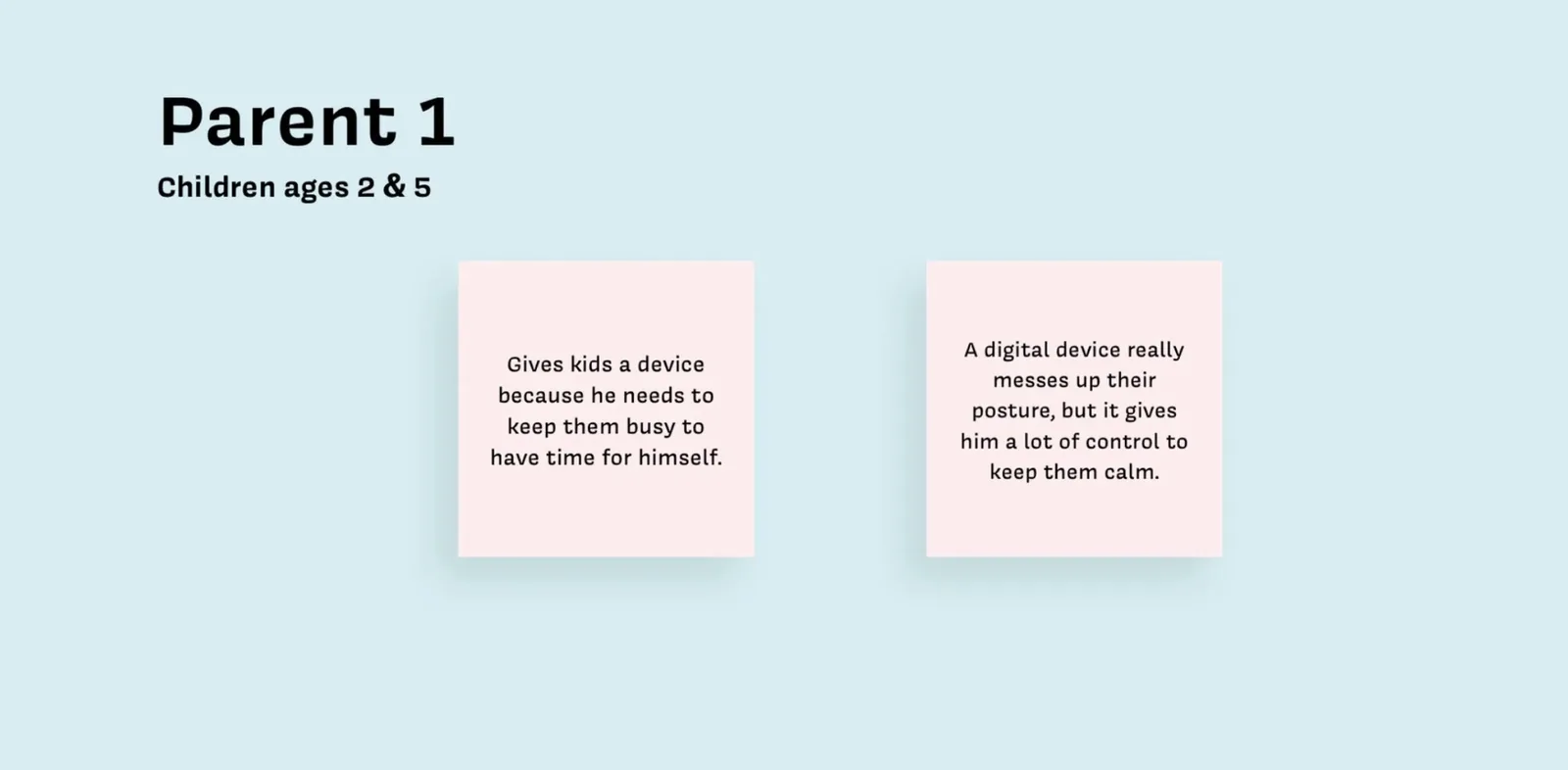
Parent 1 knows the device hurts posture, but it is the one tool that keeps his kids calm while he takes time for himself
User Observations
Direct observation followed a child across a full school day of live Zoom lessons, tracking her emotions at each transition.
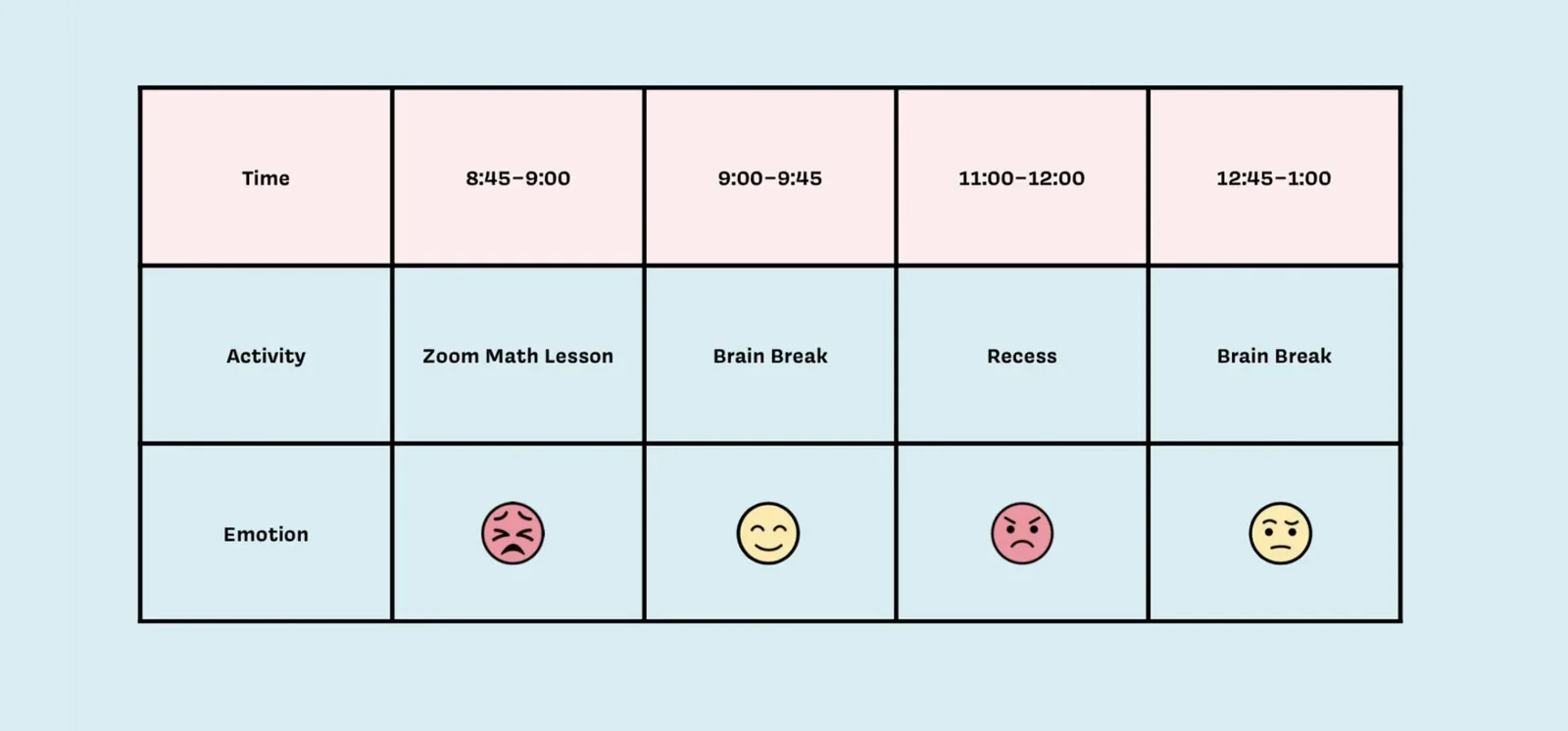
Emotion timeline across the school day: upset faces during the Zoom math lesson and recess, a happy face only during the first brain break
Cultural Probes
Cultural probes captured in the moment data from parents during the screen exchange itself, with a Korean version of the kit because many participants had Korean as their first language.
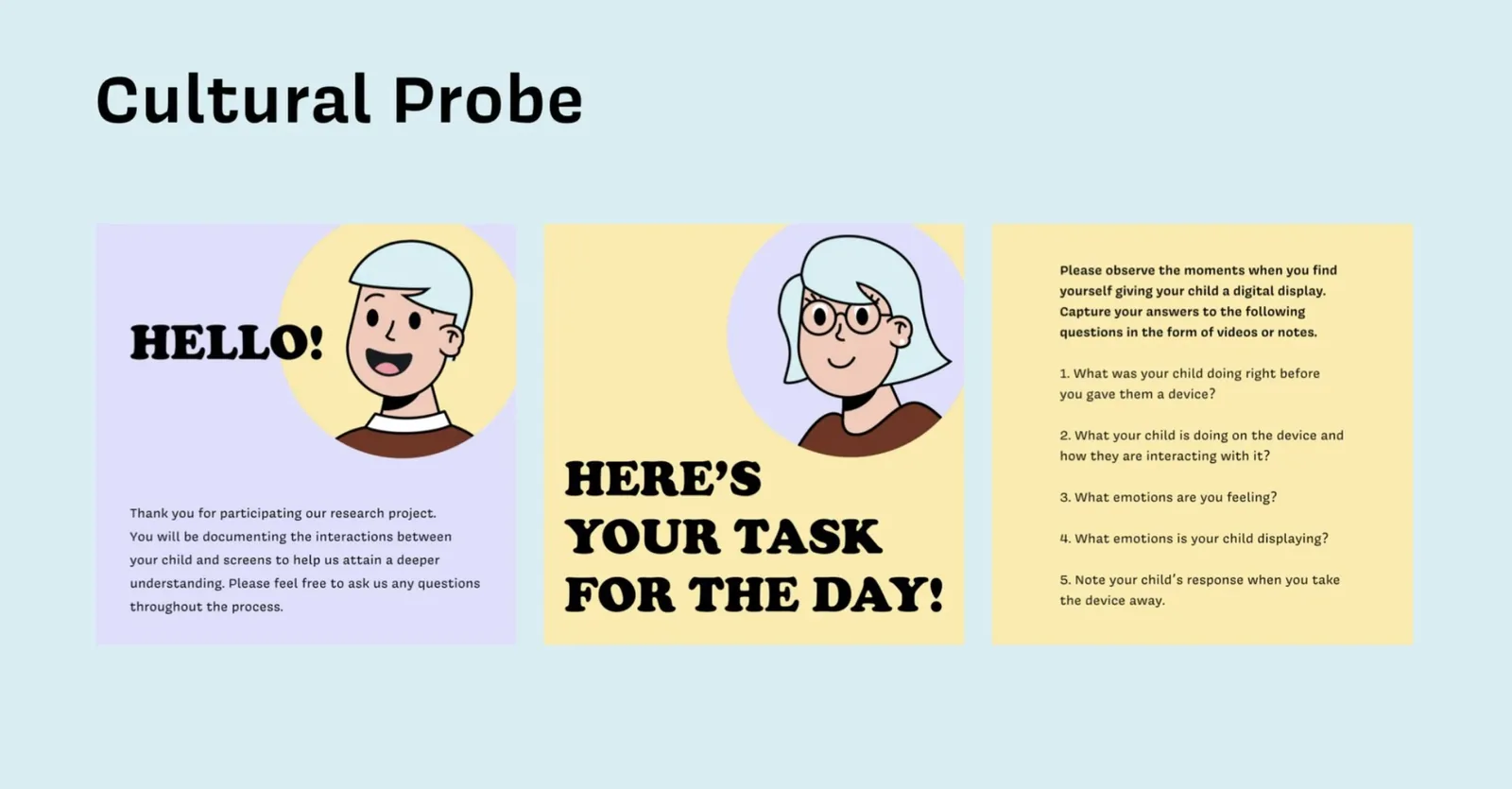
The three panel cultural probe kit distributed to participating parents
Affinity Mapping
Every data point from the four methods was affinitized into themes, and insights were pulled from the recurring patterns.
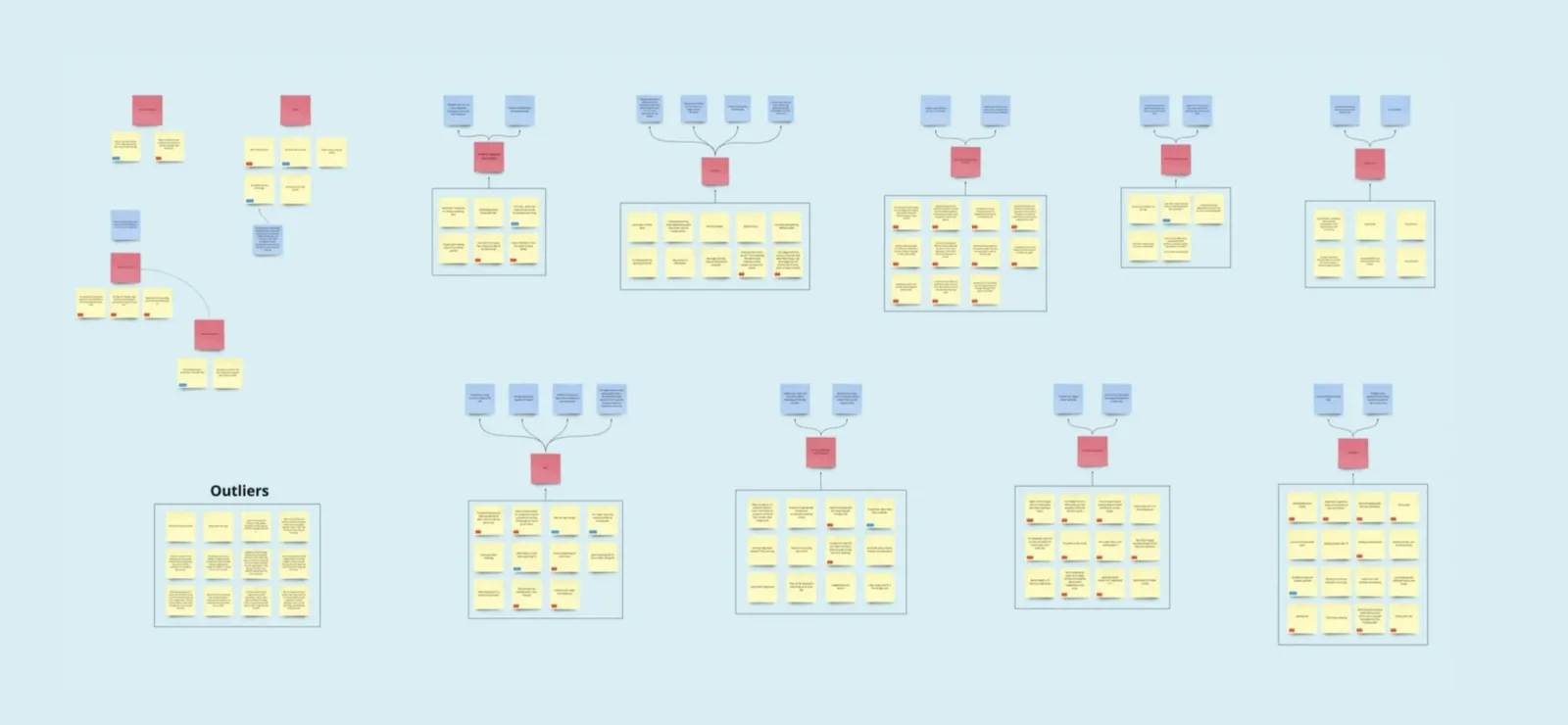
Full affinity map: data points clustered into themes, themes synthesized into actionable insights
Parents consistently used screens to keep children still when they needed to focus elsewhere. It was not neglect. It was the only tool that reliably worked.
Parents knew screens were not ideal but felt they had no viable alternative. The guilt was real, but the convenience always won.
Children had a genuine appreciation for activities beyond screens. They loved going outside, playing with toys, and being read to. The screen was not the preference, just the path of least resistance.
Three solutions, one winner
Personas grounded the problem in human terms. Competitive research revealed what the market was missing. Ideation produced three distinct directions, and Baloo emerged as the one that could genuinely eliminate the screen rather than just reduce or replace it.
User Archetypes and Personas
Baloo has two audiences, the parent who controls and the child who plays, so the personas covered both.
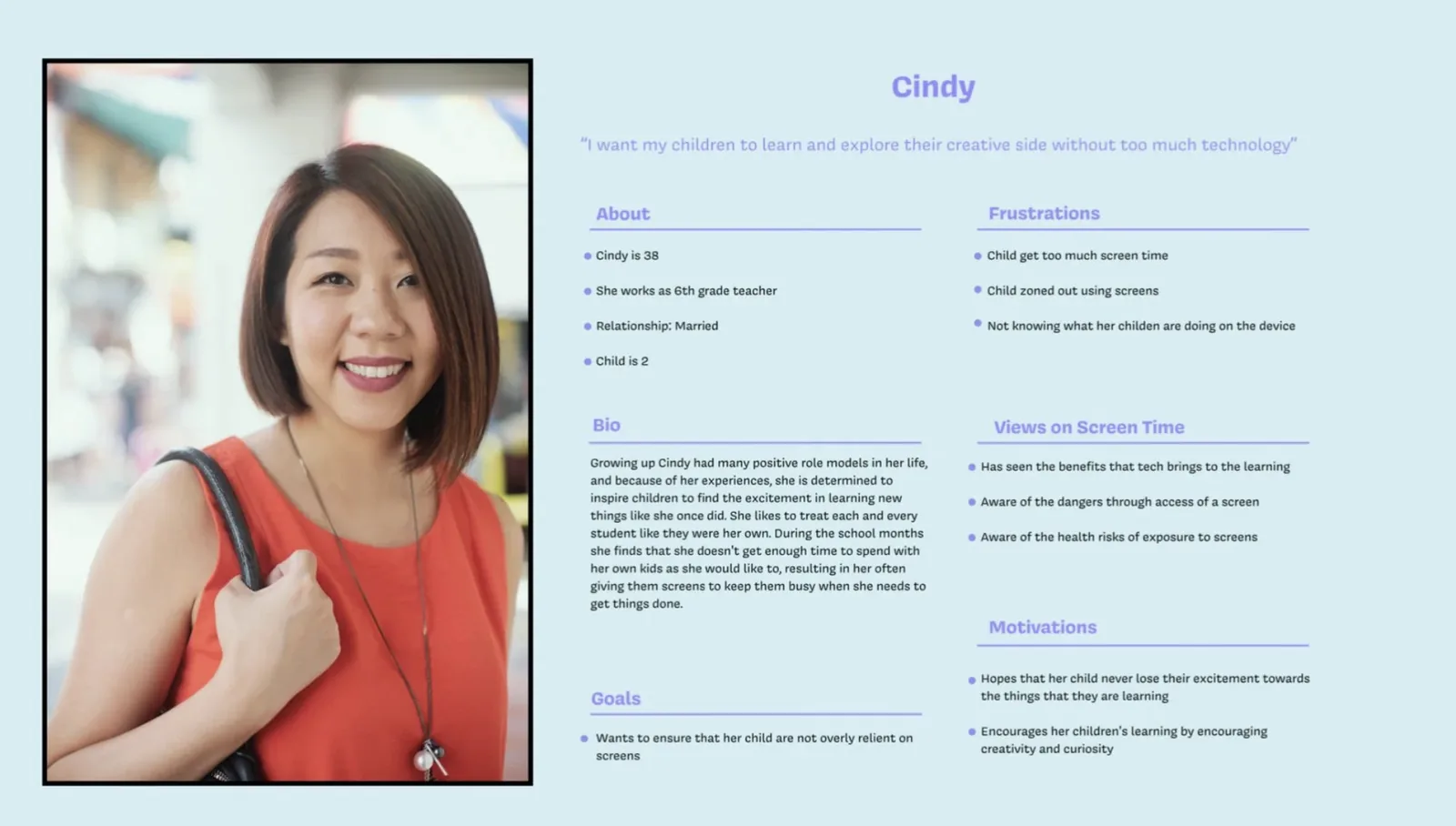
Cindy: a 6th grade teacher who understands both the educational value and the health danger of screens for her child
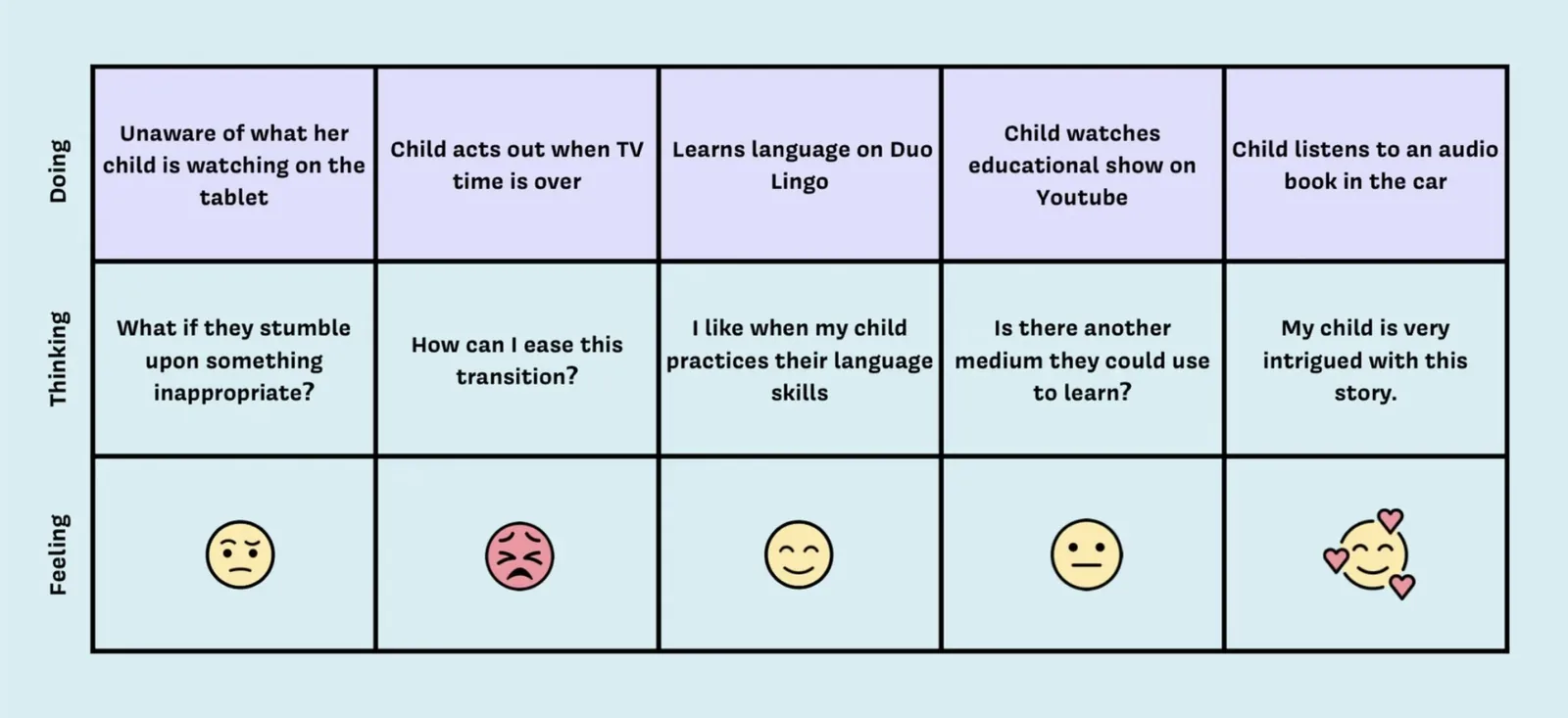
Cindy's journey map: tension between educational value and anxiety about unmonitored content
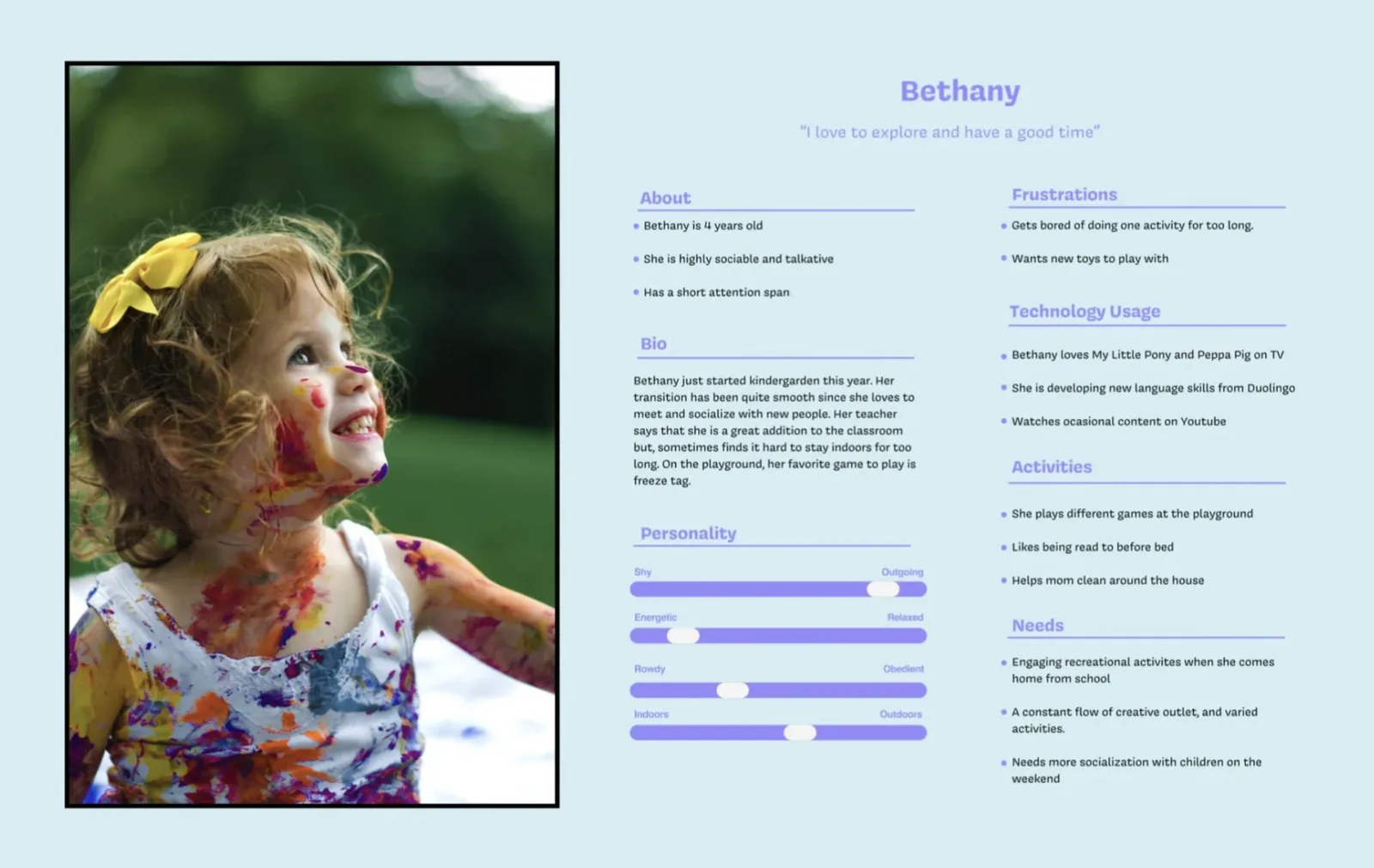
Bethany: 4 years old, social, curious, with a short attention span and a genuine love for varied activities beyond screens
Competitive Research
Four competitors were analyzed to understand where the market was falling short. Codi came closest to the vision but parents felt locked out of the content, YouTube carried inappropriate content risks, and Woobo raised voice identification privacy concerns. Ideation then produced two alternative concepts alongside Baloo.
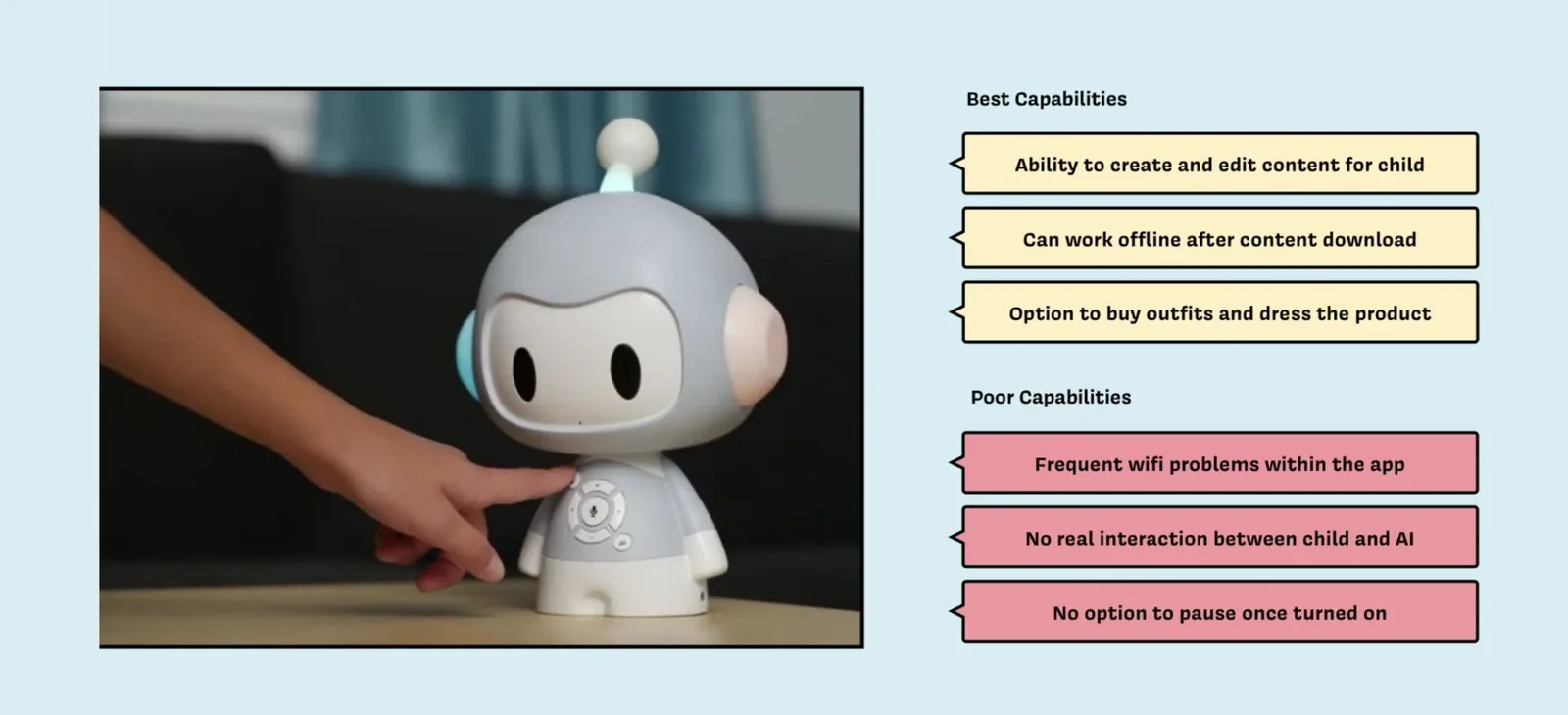
Codi: closest to the vision but failed on connectivity and real child interaction
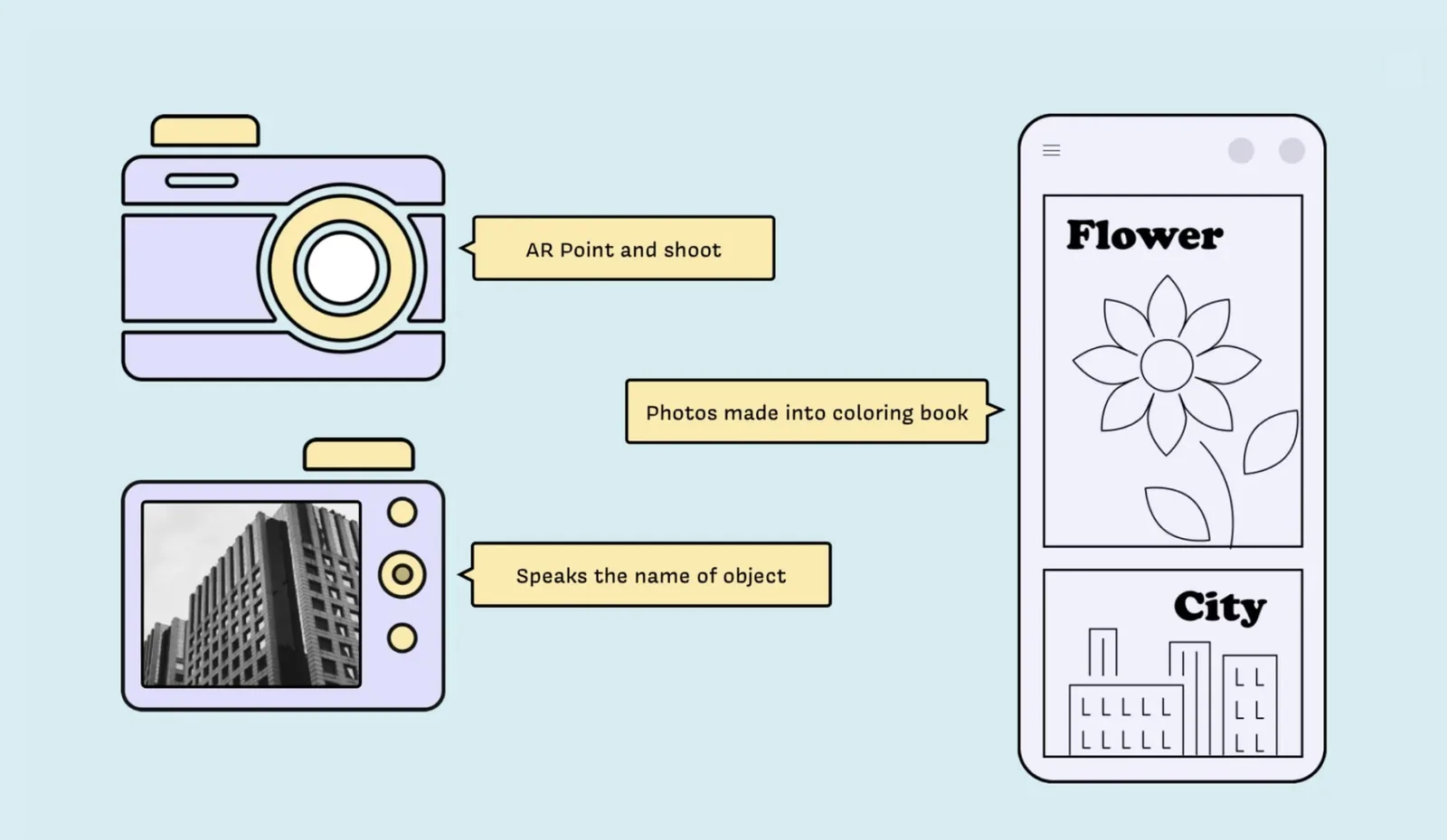
Snappy concept: transition screen time into the physical world through an AR camera that turns captures into coloring pages
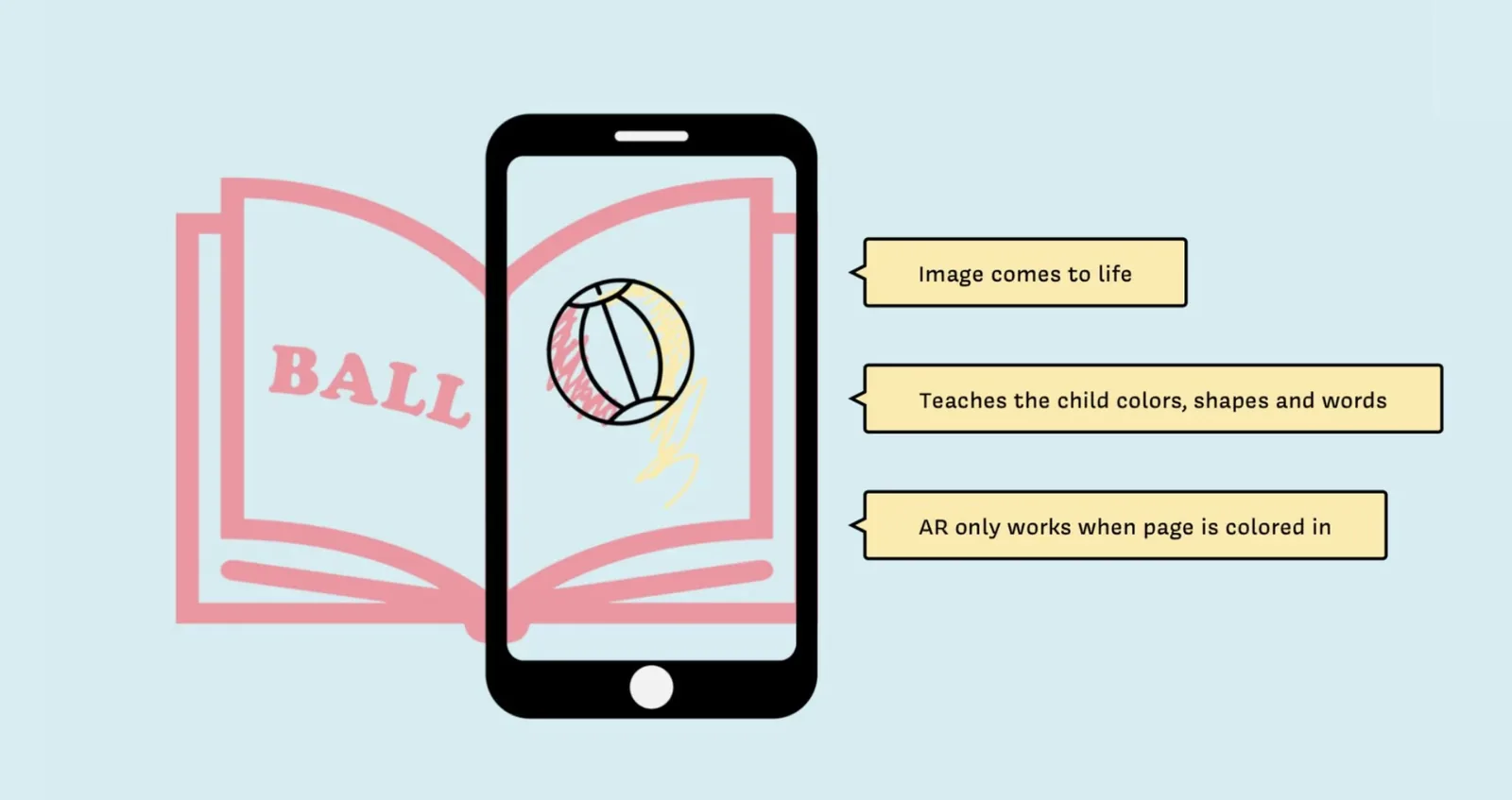
Tori concept: reduce screen time through an AR coloring book that rewards completion with animation
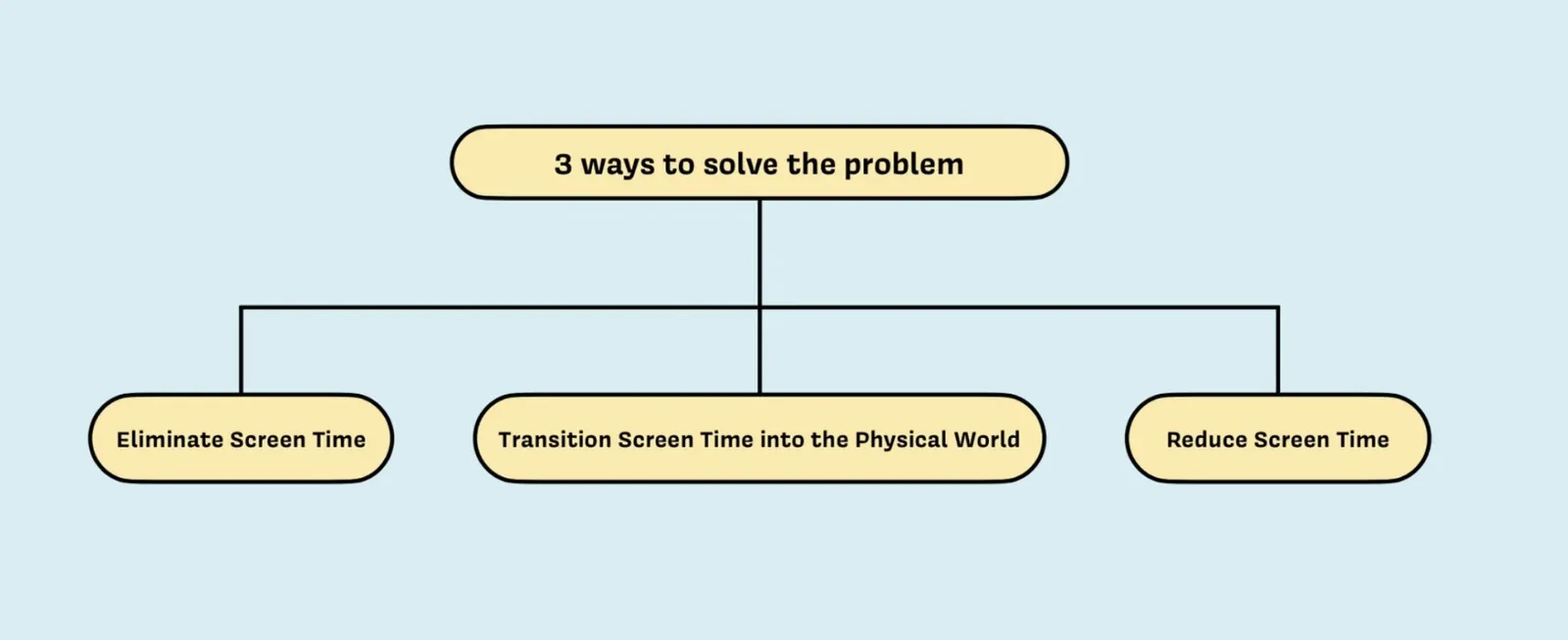
Three directions: eliminate the screen entirely, transition it to the physical world, or reduce it. The team chose elimination.
The Baloo Concept
Baloo is a storytelling stuffed animal that holds children's engagement by involving them in the story itself.
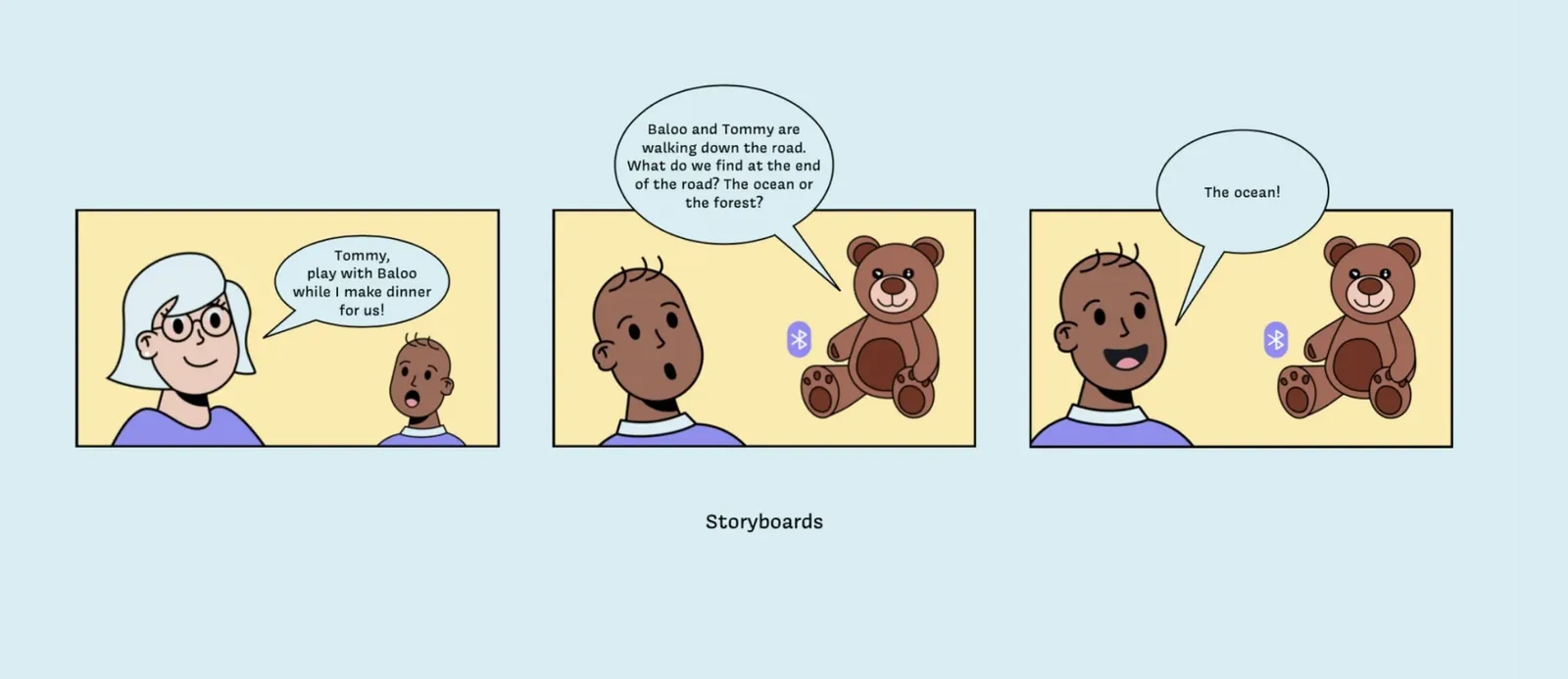
Storyboard: Tommy makes a choice and the narrative adapts around his answer
Building the bear and the app
Baloo required two parallel design tracks: the physical form of the toy itself, and the parent companion app that gives caregivers full control over what their child experiences. Both had to feel trustworthy, simple, and calm.
Physical Design
What makes Baloo unique is the interactability of the child within the story: AI voice recognition for older children and physical limb buttons for toddlers, an idea that started in the first sketches.
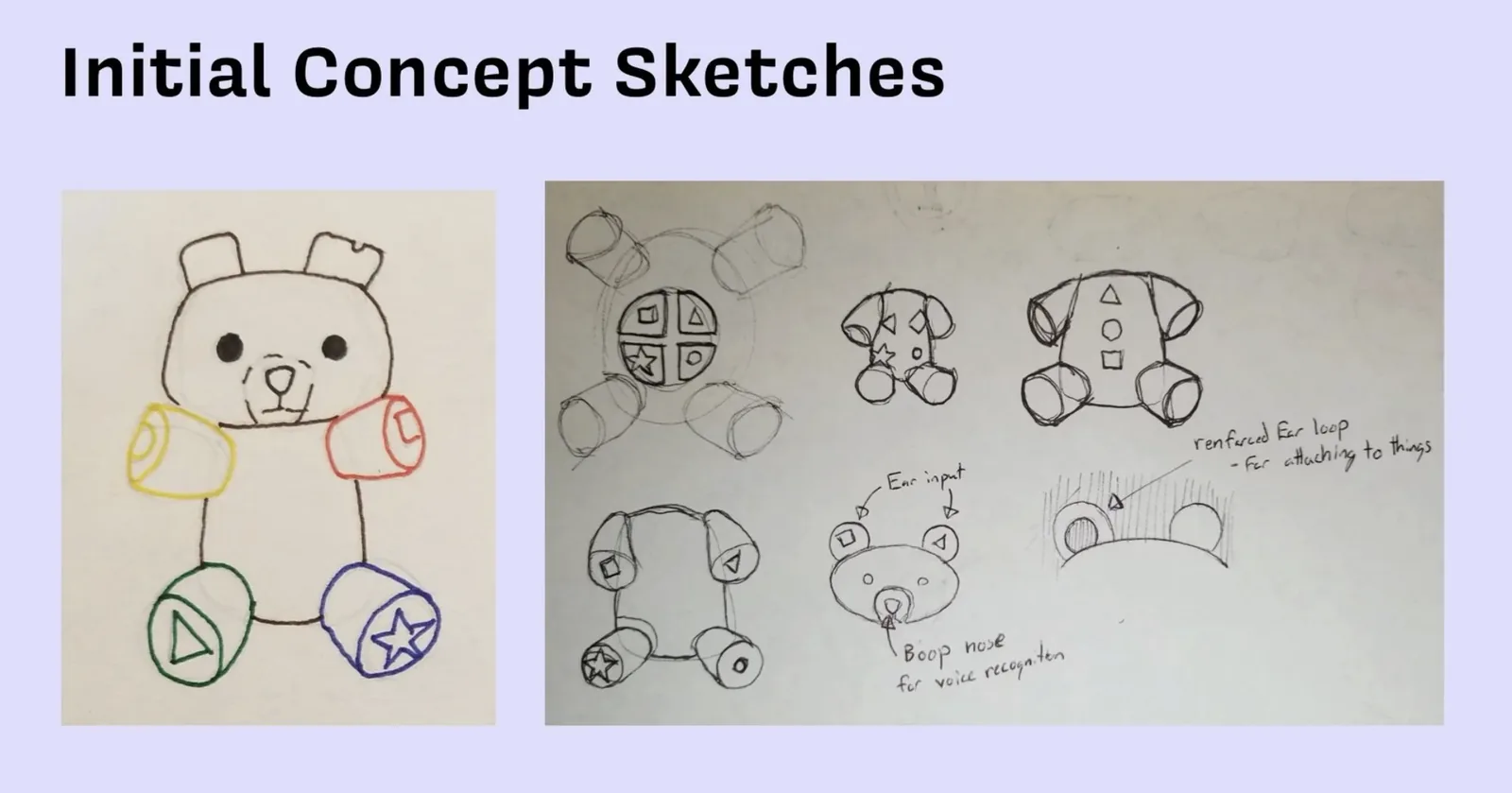
Initial concept sketches: shape symbols on each limb as decision buttons, ear loop for accessory attachment
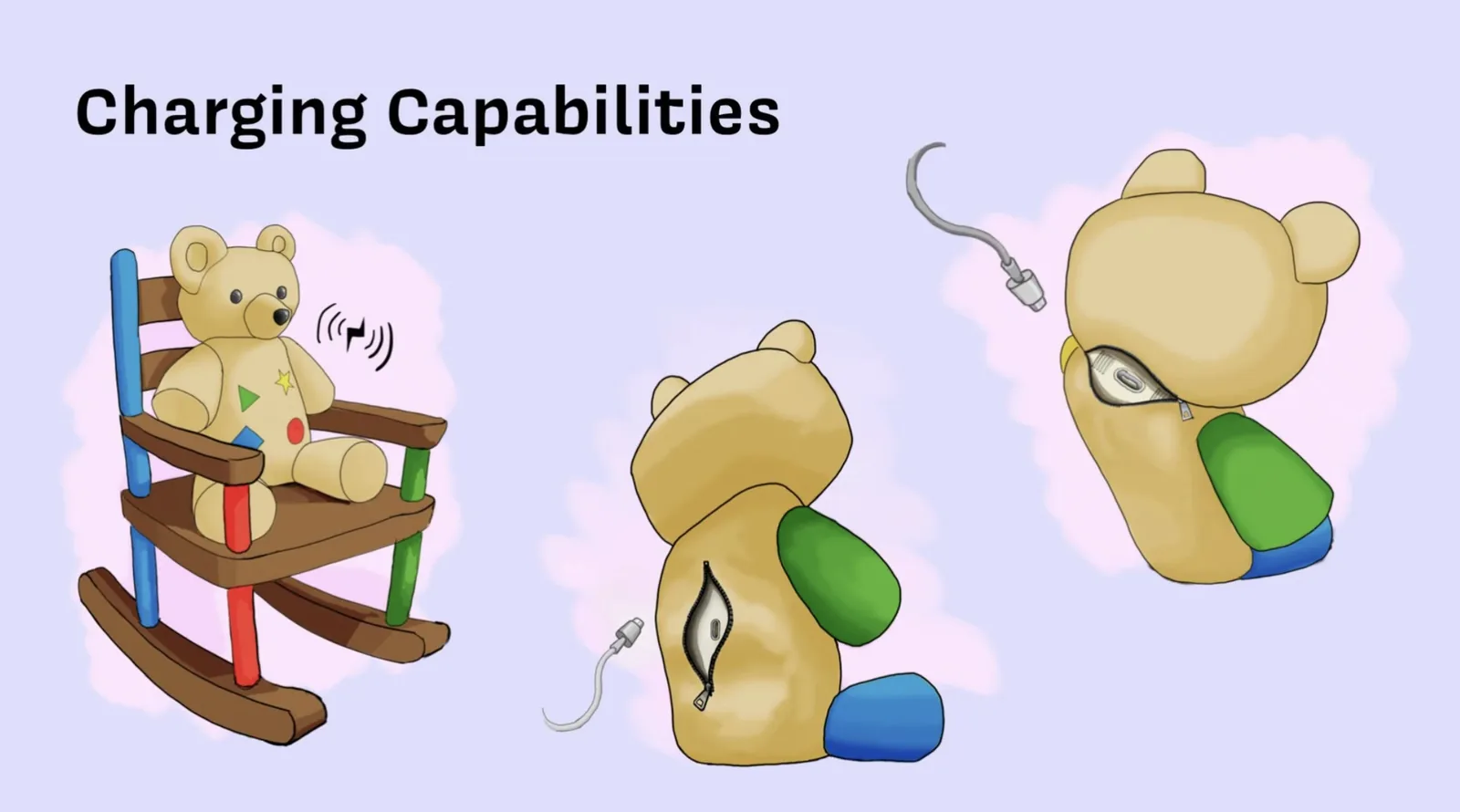
Charging via wireless rocking chair or USB-C through a concealed zip in the back
Parent App
The companion app is the trust mechanism: parents control what content their child is exposed to, from curated story categories to per child age settings.
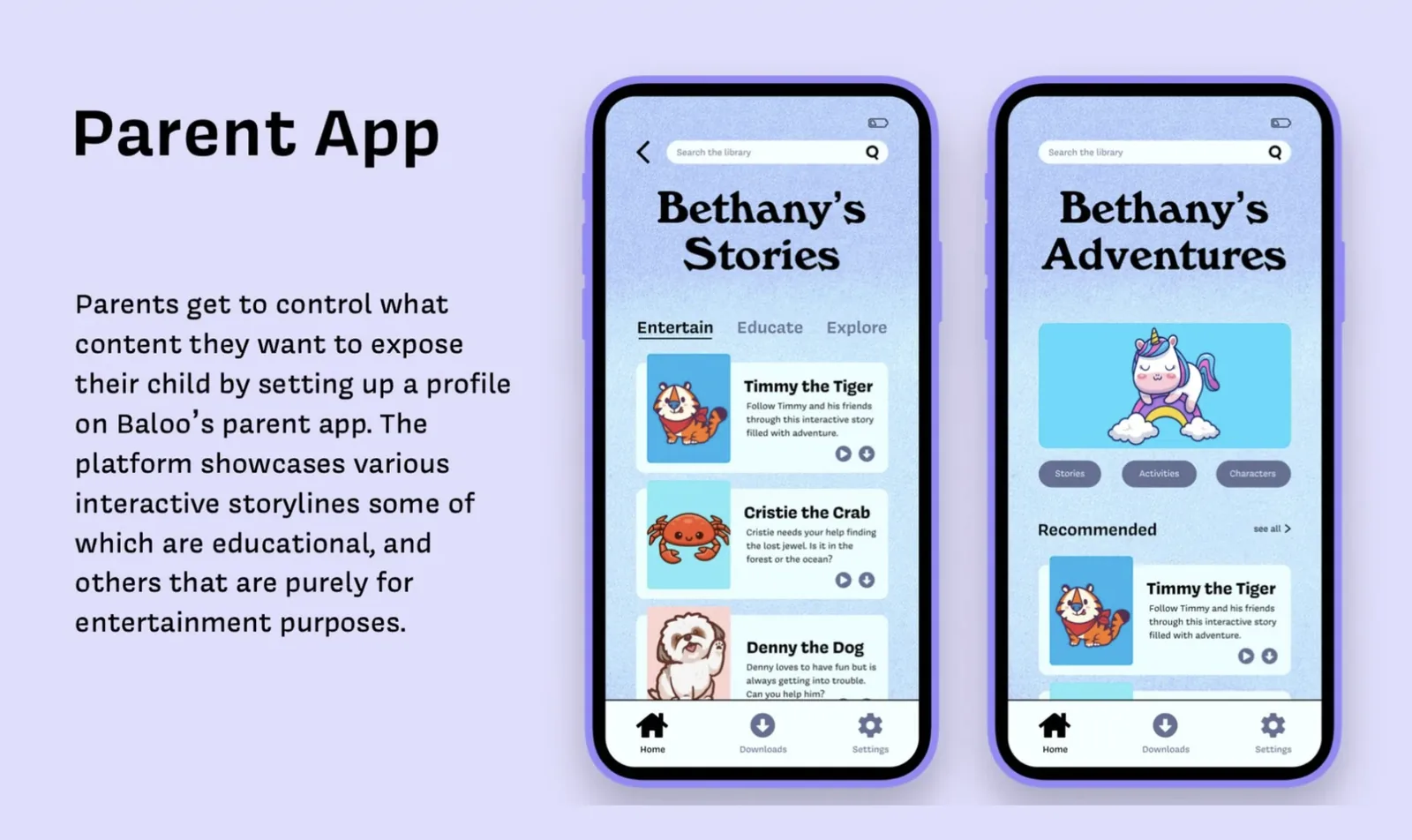
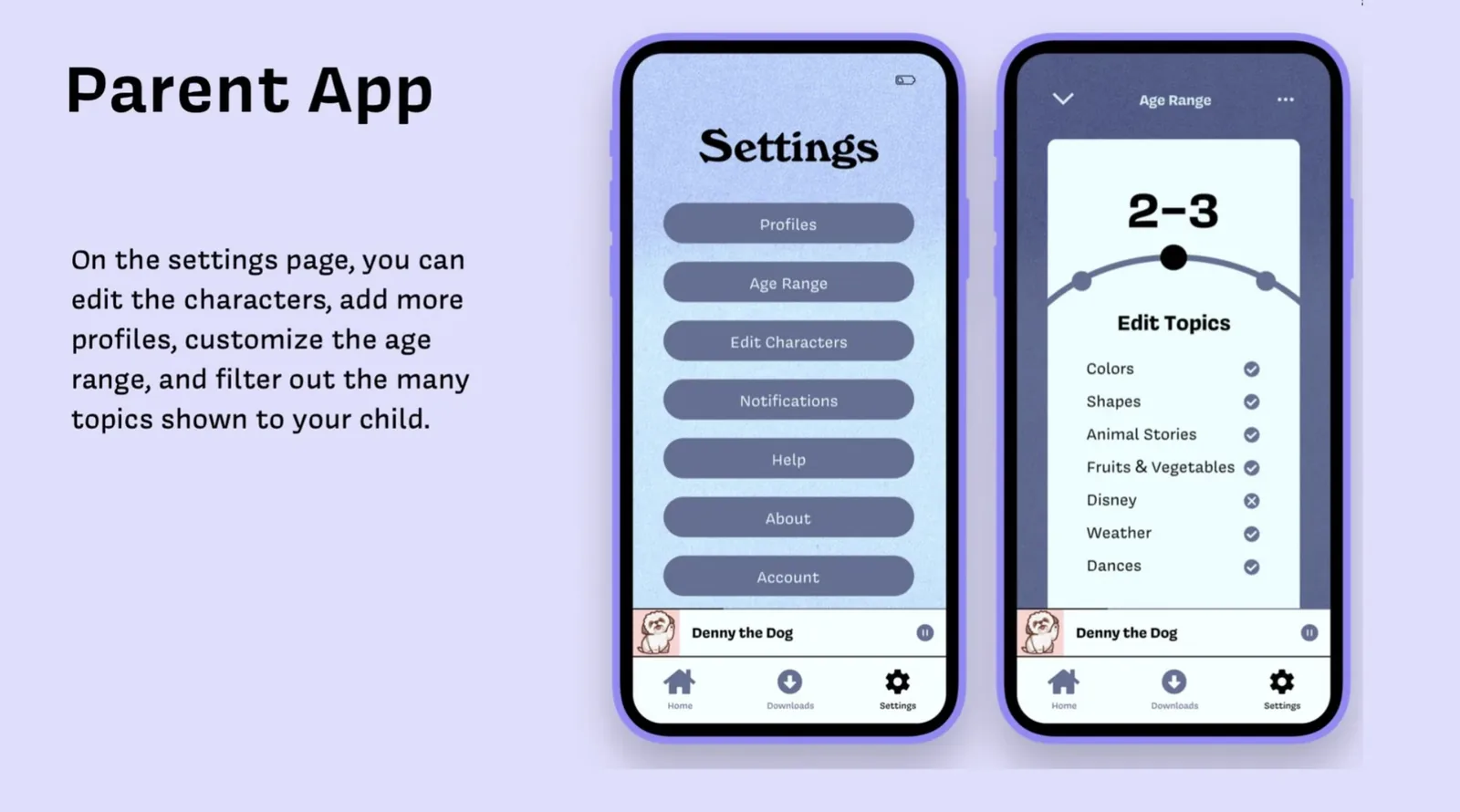
Curated story tabs and age range controls: the two surfaces that answer the parent trust and age calibration decisions
Why Baloo works the way it does
Four decisions defined the character of the product. Each one came directly from something a real user said or did during research or testing.
Early sketches placed all decision buttons on the bear's chest for simplicity. Testing showed children reached for and squeezed the bear's arms and legs naturally during interaction. Distributing one decision per limb matched that behavior and made the interaction feel physical and full body rather than transactional.
Research found that parents would not hand a connected device to a child without understanding and controlling what it could say. Codi failed partly because parents felt locked out of the content. The companion app was not a feature addition. It was the primary trust mechanism that made parental adoption possible.
The assumption going into testing was that a single story structure could span ages 1 to 5. Two rounds of user testing proved this wrong immediately. A 5 year old needed complexity and length. A 2 year old needed simplicity and repetition. The age range filter in the parent app exists because there is no single right answer for this age group.
Sound was added in the high fidelity round as an enhancement, not a core feature. Testing showed it became the most reliable engagement tool across all age groups. Children who lost interest in the narrative stayed focused when ambient audio was layered in. What started as polish became structural.
Two rounds, one refined form
Two rounds of prototype testing across different age groups revealed a fundamental challenge: the same product could not serve a 2 year old and a 5 year old equally well. Each round forced a targeted response and ultimately shaped both the physical form and the story architecture.
Low Fidelity Testing
The first round tested all age groups with an interactive PDF, assessing storyline, flow, complexity, and attention span.
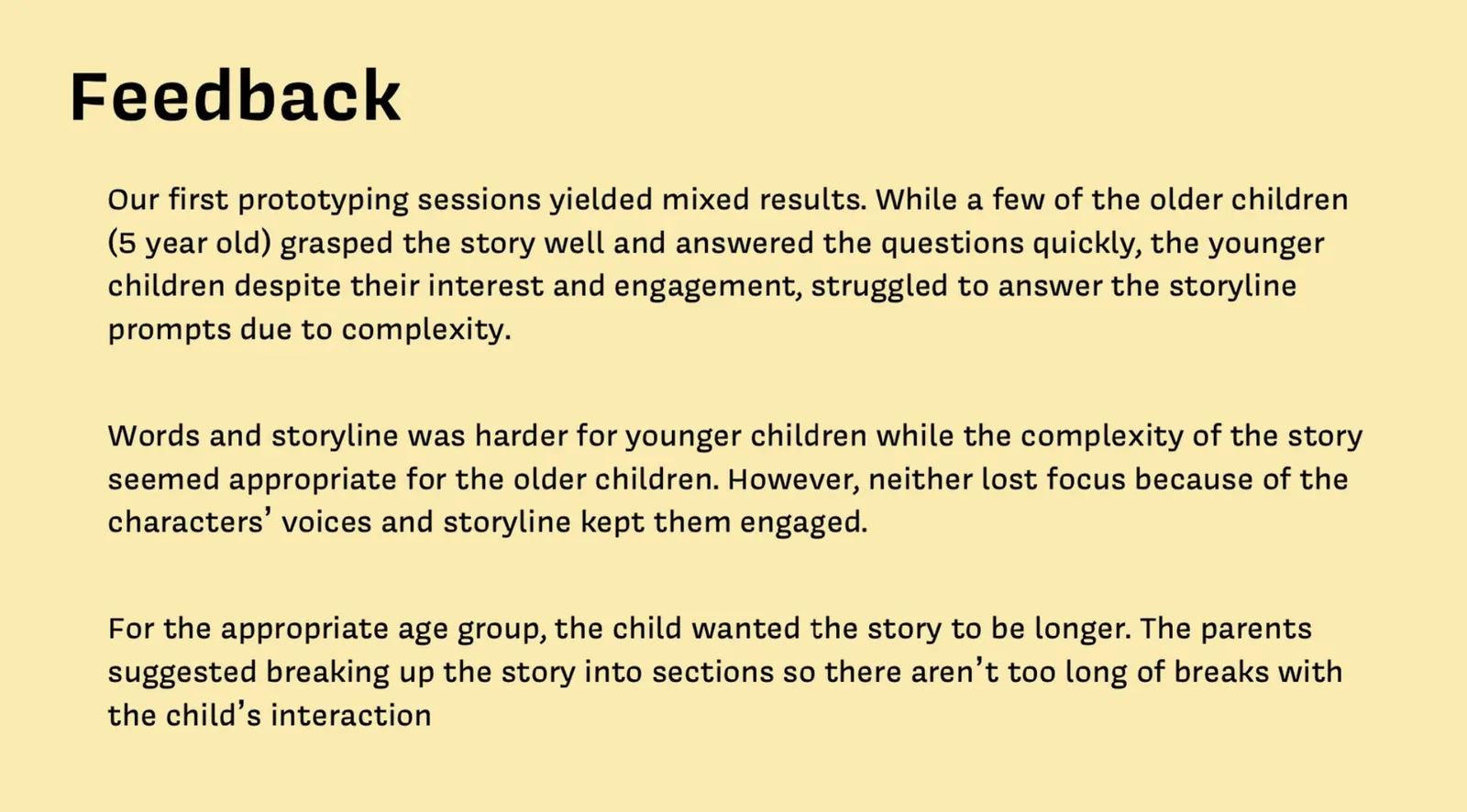
Round 1 feedback: 5 year olds engaged strongly; younger children found the complexity too high; character voices kept everyone focused regardless of age
The character voices and narrative kept all children focused regardless of age. Voice was the most powerful engagement tool in the experience, more powerful than story complexity.
Low Fidelity Round 2: Ages 2 to 4
The second round focused exclusively on 2 to 4 year olds with a simplified branching structure, since round 1 showed the original complexity only worked for 5 year olds.
Simplified too far: activities were too easy for older children in the range, creating the inverse calibration problem
Potential Storylines
Multiple branching storylines were designed to span the 2 to 4 year old range with appropriate complexity at each level.
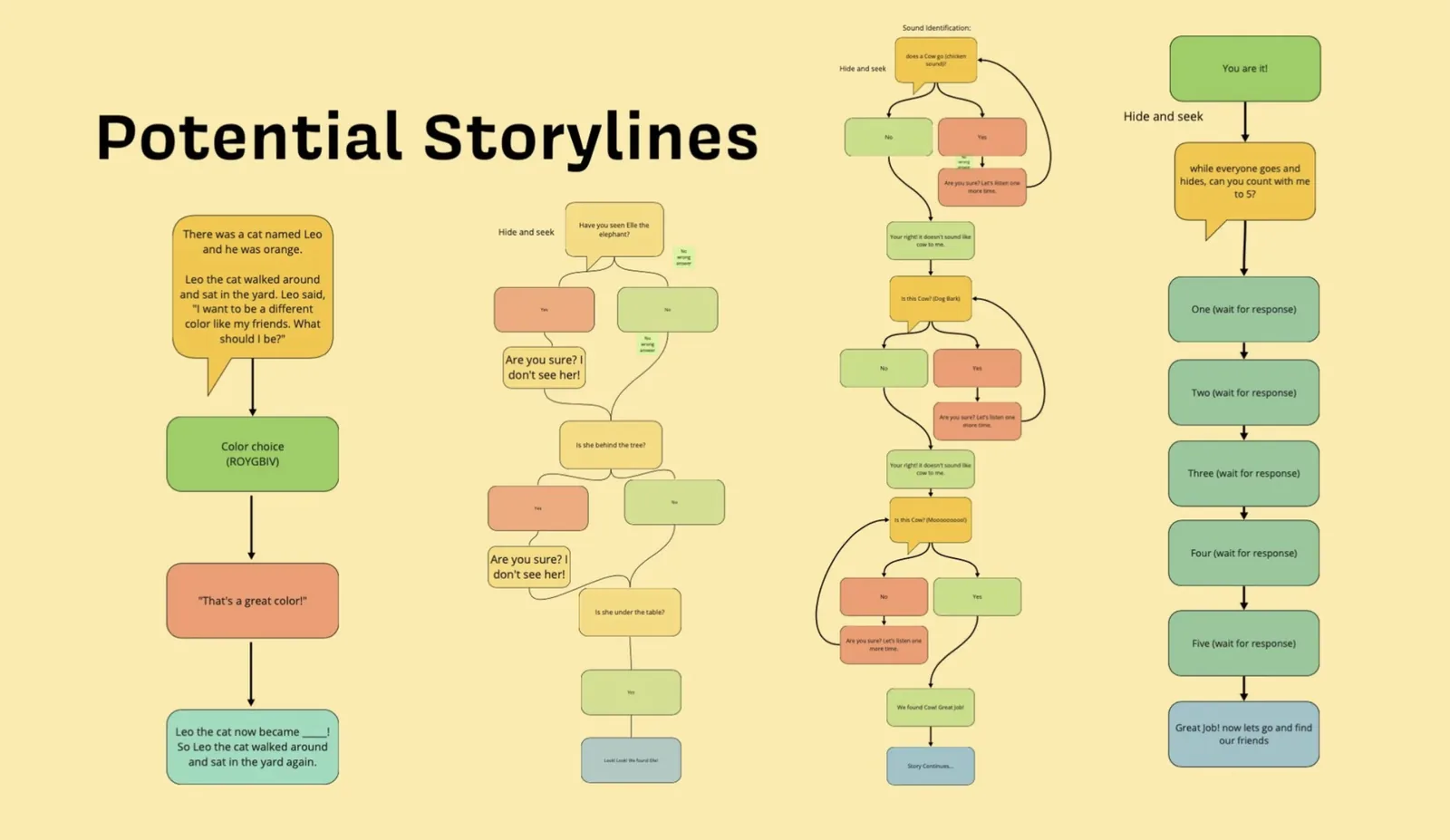
Four story branches: a color choice story, hide and seek, sound identification, and a counting game with Baloo
Mid Fidelity and Physical Form
Insights from the first rounds shaped a new story interaction for younger children and narrowed the physical form.
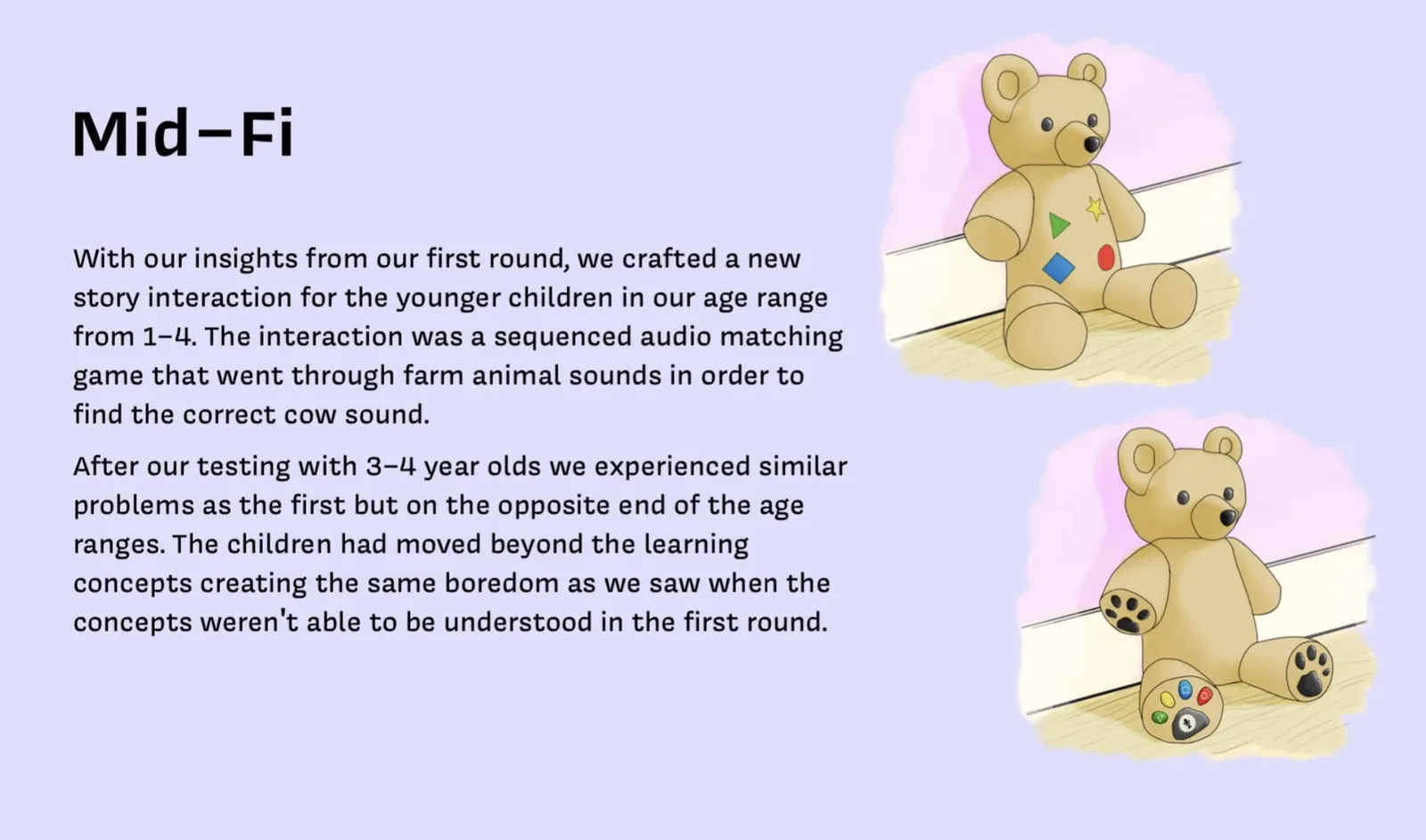
Mid fidelity: farm animal sound matching for younger children; 3 to 4 year olds found it too easy, creating the inverse problem at the other end of the range
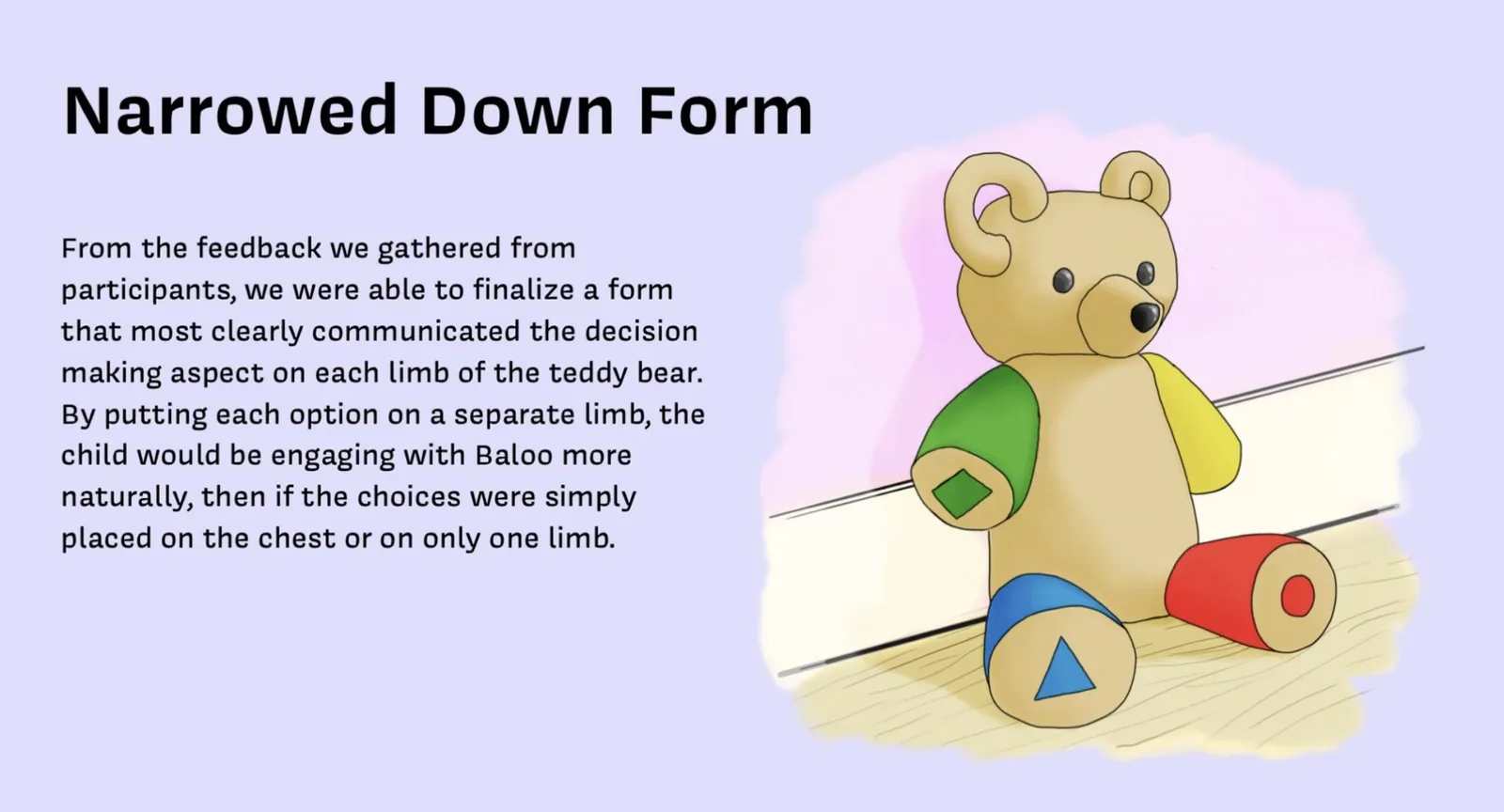
Finalized physical form: one decision per limb distributes the interaction naturally across the entire bear body
High Fidelity
Sound effects and background music were added as an additional stimulus for storytelling.
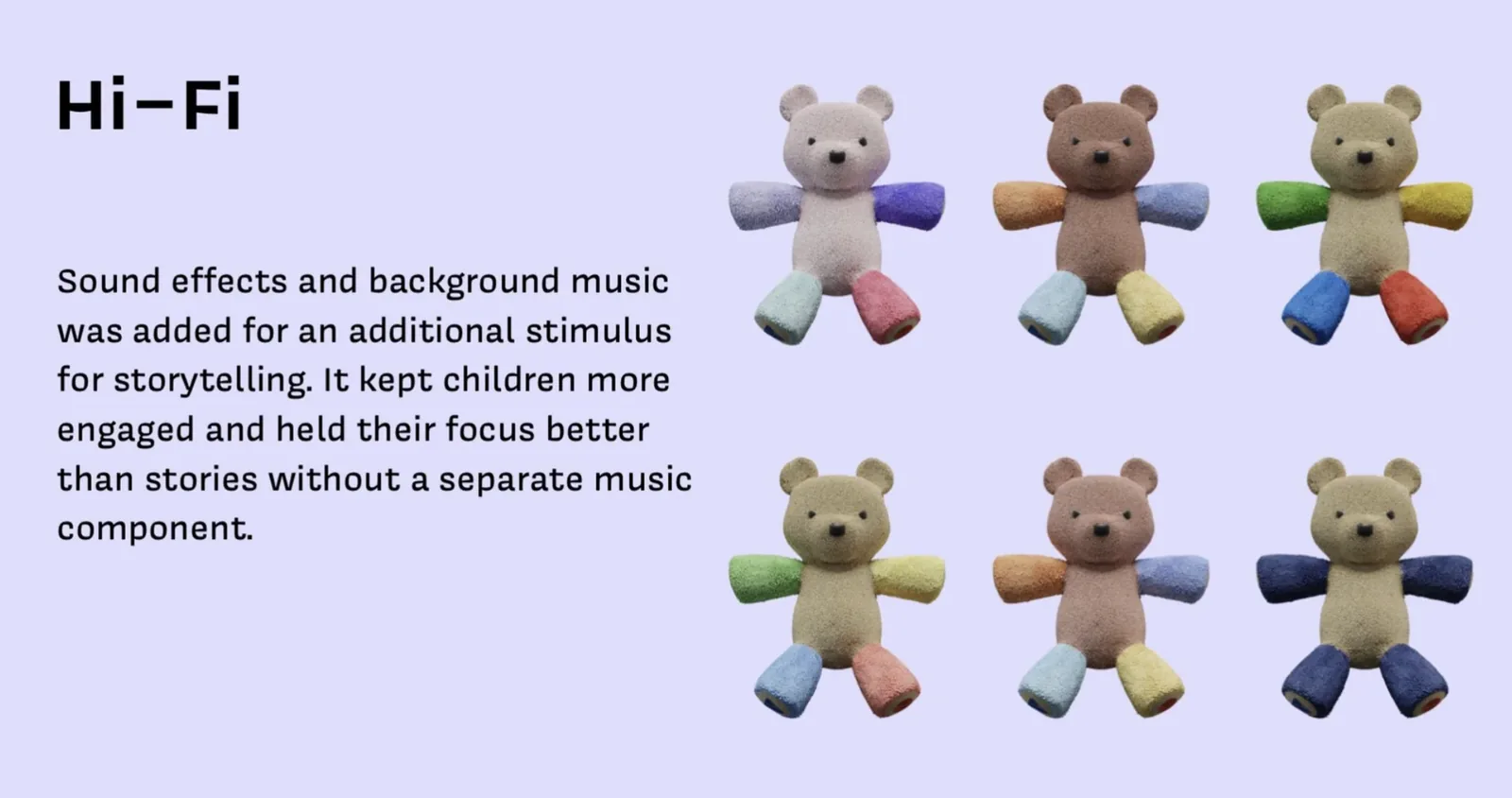
High fidelity: sound effects and background music significantly improved engagement and attention span across all age groups
A single story complexity cannot span ages 1 to 5. The parent app's age range filter and topic controls became essential features as a direct result of testing across all rounds.
Across every round, character voices kept children focused even when the content was too hard or too easy. Audio engagement was more powerful than story complexity in holding attention.
Placing decision buttons on separate limbs rather than the chest or a single limb made the interaction feel natural and full body. Children reached for the bear instead of just touching a screen.
Adding background music and ambient sounds to the high fidelity prototype held attention longer and more reliably than narrative alone. Audio layering became a core design feature.
A bear that earns the parent's trust
Baloo launched as a fully tested concept across two prototype rounds and multiple age groups. In final testing sessions, children maintained focus for the full story duration without requesting a screen. Parents who reviewed the companion app reported feeling in control of the content for the first time across any storytelling product they had evaluated. The physical form, the parent app, and the story architecture all changed shape at least once as a direct result of something a real user said.
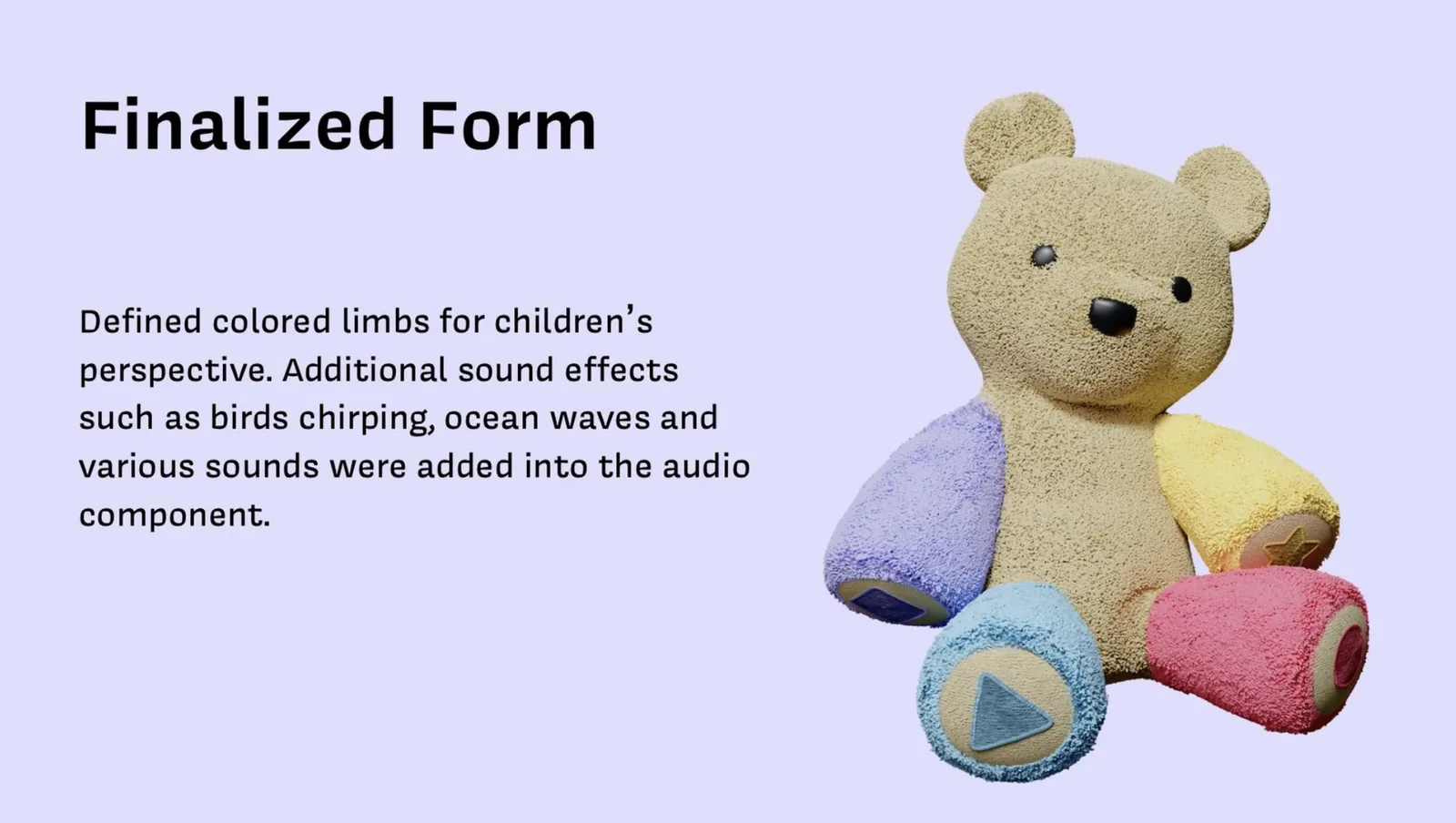
Finalized form: distinct pastel colored limbs with shape symbols make each decision button visually clear for young children
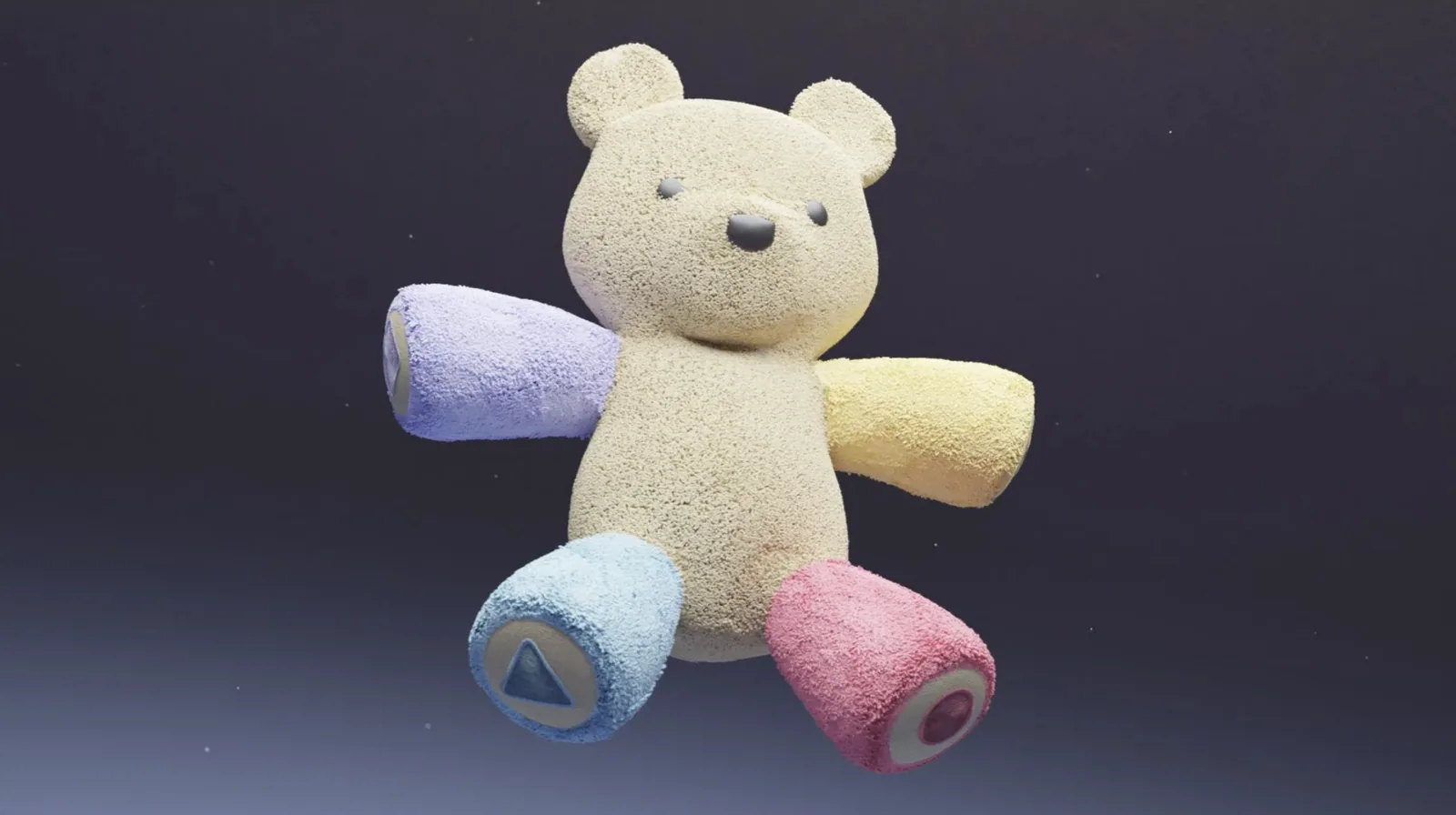
The final Baloo bear, fully realized
Parents do not want to give children screens. They do it because there is nothing better available. Baloo resolves that by providing something genuinely better: a self directed, safe, and engaging experience that keeps children still without a screen in sight.
What I Learned as a UX Researcher
Leading the research on Baloo reinforced that the most important design decisions happen before any sketch is drawn. The pivot from office workers to children under 5, the discovery that parents use screens out of necessity rather than preference, and the affinity map finding that children genuinely want alternatives to screens: each of these came from rigorous primary research, not assumptions. The product would not have been Baloo without those findings driving every concept decision.
Half the course was spent in research before the concept was defined. That investment paid off: the product was grounded in real human behavior, not assumptions about what parents or children want.
Surveys, interviews, observations, and cultural probes each revealed something the others missed. No single method would have been sufficient. The full picture only emerged when all four were synthesized together.
Baloo has two users: the child who plays and the parent who controls. Every feature had to satisfy both simultaneously. The parent app was not an afterthought; it was half the product.
Designing for ages 1 to 5 means designing for five completely different cognitive stages. Testing exposed this immediately and reshaped the entire product architecture around age range controls and tiered story complexity.